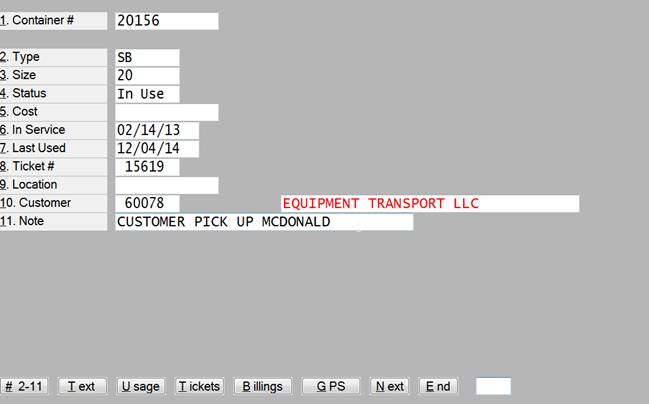
Containers can be maintained using this program. New containers can be added or existing container information can be viewed and changed.
|
Field |
Description |
|
Container # |
A unique number identifying the container. |
|
Type |
The type of container. It must exist in the list of container types. |
|
Size |
The size of the container. It must exist in the list of container sizes. |
|
Status |
The status of the container. In use means it is in use by a customer. Empty means that it is in the yard and available for use. |
|
Cost |
The original cost of the container. |
|
In Service Date |
The date the container was purchased or went in service. |
|
Last Used |
The date the container was last in use by a customer. |
|
Ticket Number |
The ticket number that the container is currently used on if any. |
|
Location |
Which yard the container is located at. |
|
Customer |
The number and name of the customer who is using this container. |
|
Note |
A short note about this container |
|
Memo |
Unlimited notes about this container |
|
Usage |
The usage history by month. |
|
Tickets |
A list of tickets that this container has been on. |
|
Billings |
A list of the invoice line items for this container. |
|
Next |
Save any changes on this container and move to the next container. |