The Time Clock routine automates the task of accumulating employee hours and totaling them for a payroll period. The routine logs an employee in or out of the store by creating an employee record that contains the employee number, the date, and the current time. The employee may clock in and out as many times as is needed during the day. The display/print routine has options for selecting a range of dates and employees. The report created summarizes all the hours by employee.
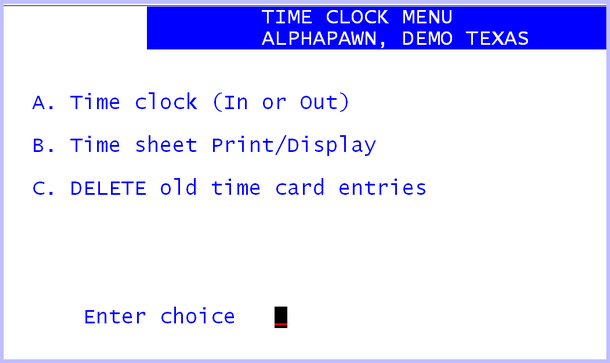
Time Clock Menu
TIME CLOCK (IN OR OUT)
The cursor will be positioned to enter employee number. The employee enters her employee number and the cursor will then advance to the prompt for either I or O, IN or OUT, enter the correct letter, (fast field entry). Next enter a "Y" to verify that the entry is correct. If security is enabled and the Time In/Out routine has a security value, the employee’s PIN code will be requested. At that time the system will display the date and time logged on the screen as well as write it to the time card file. There is an option in the Store Utilities that will print a time sheet each time an employee logs in or out. See A – E <ret> A field 12 option number 9.
TIME SHEET DISPLAY/PRINT
Select the display / print routine from the time card menu. The display/print screen is in the same format as all other display/print routines. The printed report always summarizes the time for each employee, regardless of the selection criteria. If the display option is selected, the times are NOT summarized. Using the date selection criteria the operator can get a report that is a summary of time cards for any payroll period. The employee option will select all employees or a specific employee. The status option allows the operator to select either time IN or OUT.
DELETE OLD TIME CARD ENTRIES
Select the time card delete routine from the time card menu. Since this routine destroys old data, it should only be executed after a copy of the old time cards has been printed. The routine will ask for a "YES" response to verify that the old time cards are to be deleted. The next question will be the last date through which old time cards are to be deleted. Last, the routine will again ask for a reply of "YES" to verify that the operator wants to delete old time cards.
