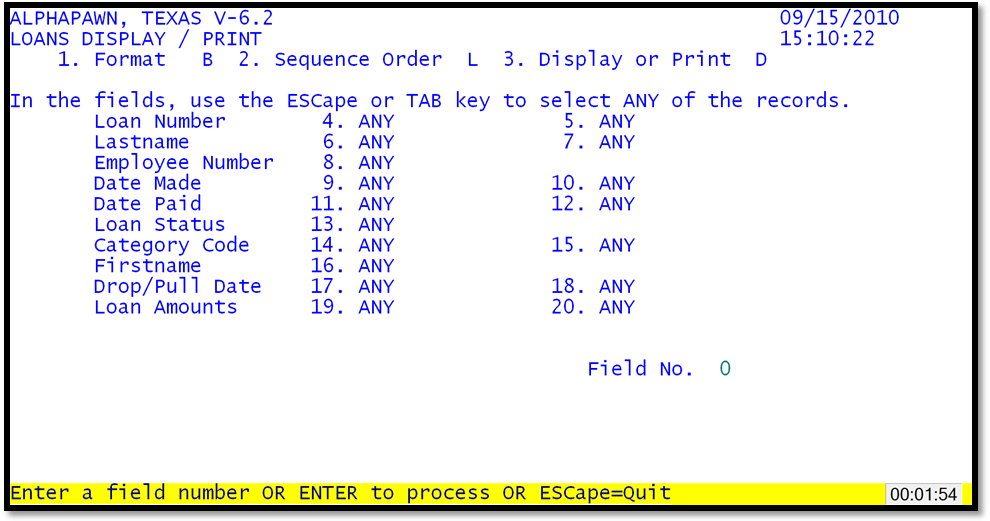
The loan display/print routine is used to select information on loans or loan items in the system.
Loans Display / Print
Loan Display/Print by Number with Extension Format
The option fields enable the operator to select a subset of records based on a specific selection criteria. The display order will give the report either numerically, "L" or alphabetically, "A". The format field has the following choices:
B The Brief format gives the loan number and amount in the report.
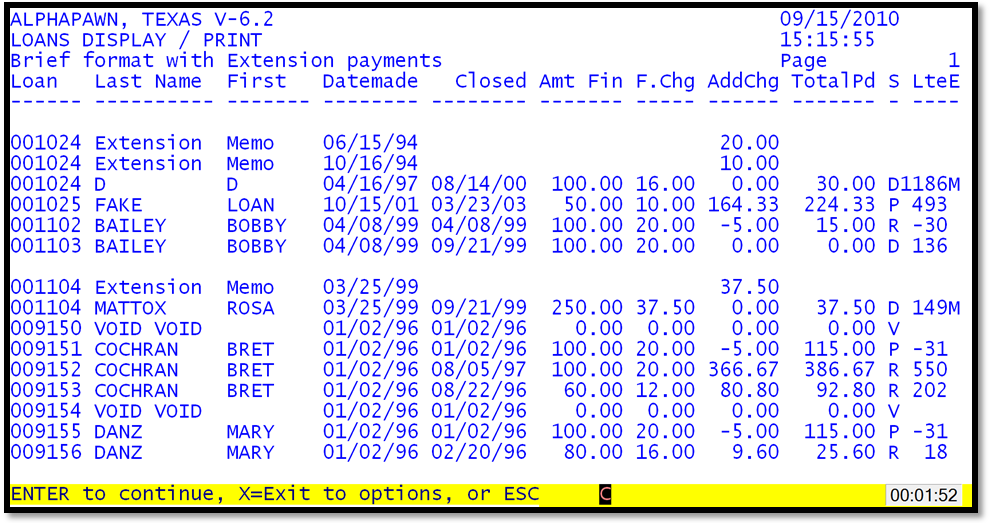
E Brief format with extension payments
C The Complete format gives a full listing which reports all the information on the loan.
P Complete format with extension payments
I Item description format
T The Total format creates a report that is just totals of the loans selected, but not listing any of the loans.
Various selection fields can be used to select specifically only those data records that meet the selection criteria. Some of the fields and examples are:
the loan numbers range fields 4 & 5, to enter a low and high loan number
the last name range fields, specifies a beginning and ending last name
the date paid range fields, specifies a beginning and ending date that
the status selection field to find loans that are paid or pulled.
