The Display and Print (D/P) routines are used to find and report on various data records in the APS software. Each D/P routine has a standard layout and always has the three fields: 1. Format, 2. Sequence order, and 3. Display or Print. Beneath the standard top line options there are selection fields that are specific for the file. One of the most efficient ways to use the D/P routines is to put in a selection criteria and then push ENTER to display the report to the screen. Once satisfied that report is printing the data desired, then change field “3” to a “P” and send the report to the screen. NOTE, the display to the screen can be stopped by pushing the ESC key when a screen is full. The rest of the report is still waiting to print, and if there is not a range in the selection field the entire file will be printed. In the case of loans the starting and ending loan number are fields 4 and 5. If the report is only going to come to the screen and not the printer then field 5 does not matter in that the ESCape key can be pushed at any time to halt the report to the screen. This is true for all D/P routines on all files of data.
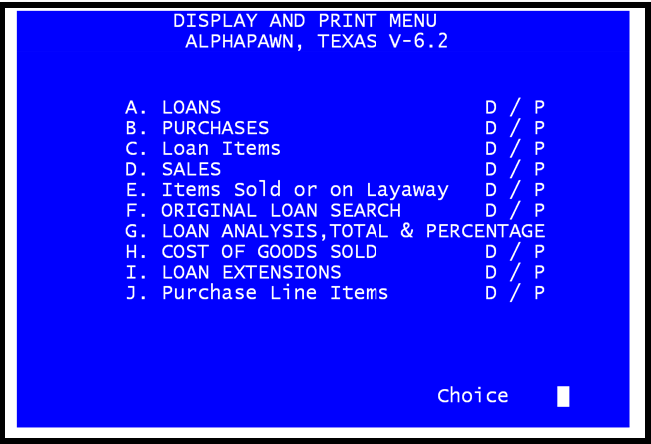
Display and Print Menu
Below are the major sections of this chapter. You can navigate to the topic of your choice by clicking on an item below, or by using the Table of Contents at left.
Subtopics
•SALES and LAYAWAYS DISPLAY / PRINT
•ITEMS SOLD OR ON LAYAWAY DISPLAY/PRINT
•ORIGINAL LOAN SEARCH DISPLAY / PRINT
