Selection “A” is the Store Information Maintenance screen. Each data field is accessed by entering the field number. The cursor will then be moved to the start of the field. Modify the data as needed and put Enter to return to the change field no. __ . Push Enter to exit the screen and rewrite the values.
The Store Information and Loan Defaults maintenance screen contains quite a bit of information and requires considerable explanation. See the following several topics for descriptions of the various fields.
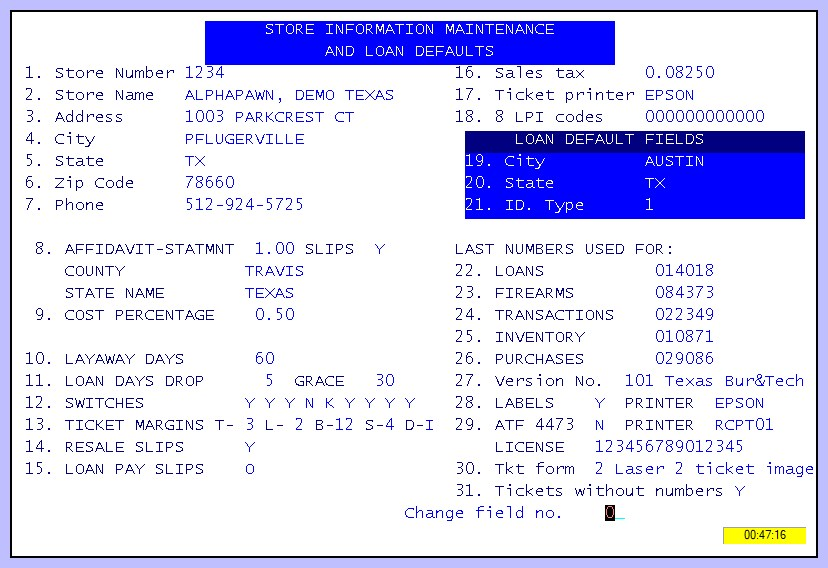
Store Information Maintenance and Loan Defaults
