In the Daily Business menu, the calculate selection is where it is possible to compute the amount of interest due for a loan. This could be for a loan that is not in the system or when someone is calling over the phone and wants to know how much it would cost to renew or pay off their loan.
NOTE, that some state laws dictate that when a loan is made the service charge is for the month and a refund is never given. When the program was installed the particular state was designated.
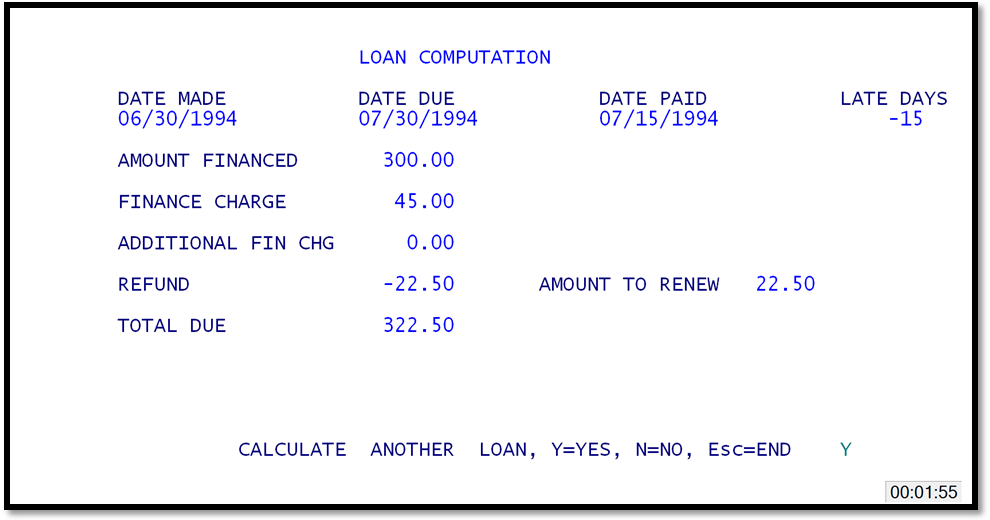
Loan Calculation
The first field is the date made field (date the loan was issued). Be sure to enter the date made in the MMDDYY format. The date due will be entered automatically by the computer. To enter the date paid, enter either 1) a ENTER for the computer default of today's, or the actual payment date in a MMDDYY format. Then enter the amount of the loan. The system will display the amount to payoff the loan or renew, and the amount of refund if appropriate.
